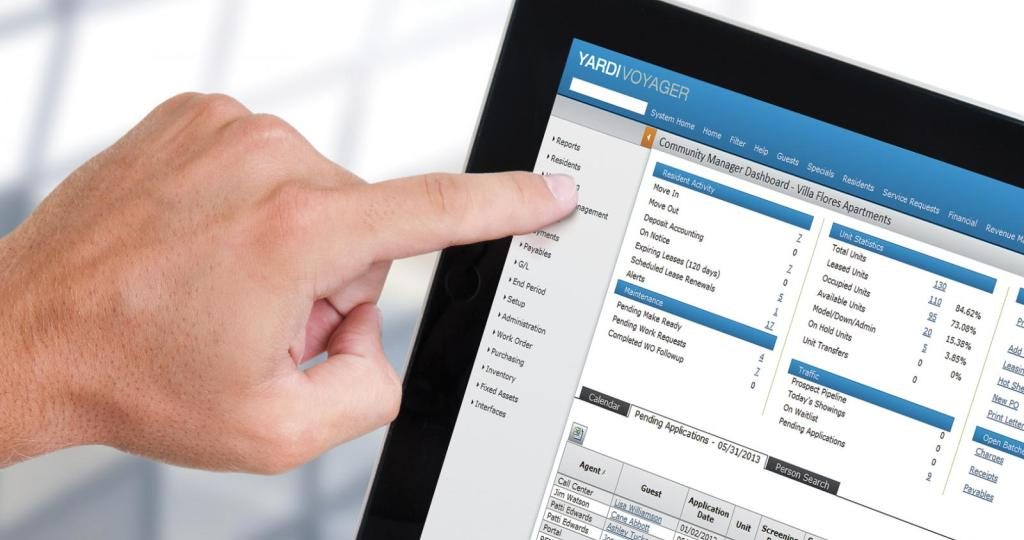
Managing user creation in Yardi requires a balance between operational speed and strict security controls. A well-defined process ensures that users have exactly the access they need to perform their jobs without compromising data integrity.
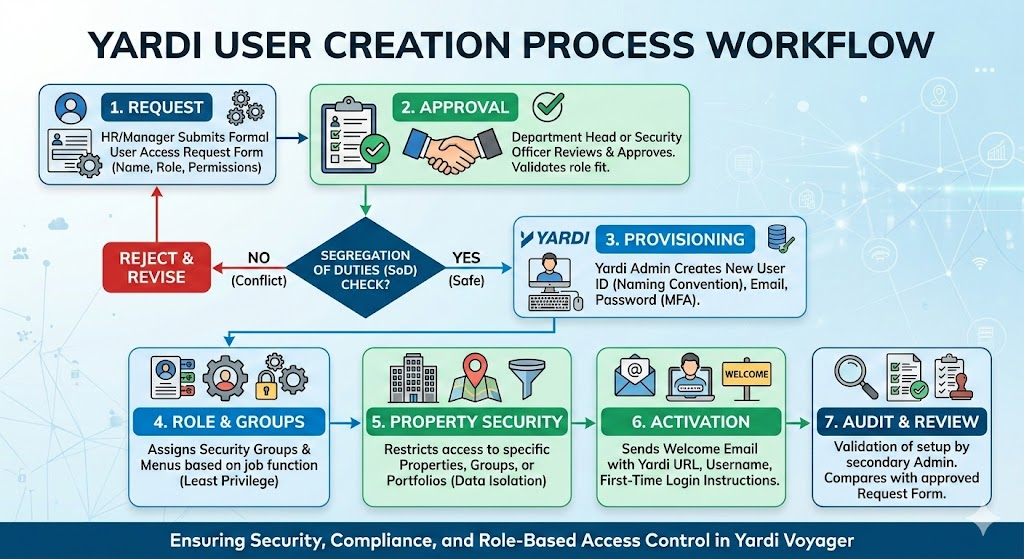
Standardized Request Form: Even before the user the created in Yardi system an Access request form or User creation form should be sent through email or ticketing system. Role Identification: The requester should mention the role that needs to be assign to the user for the workflow approval matrix is required.
Create the User Record: User ID: Follow a consistent naming convention, also enter the required information to create the user.
Assign Security Groups: Assign the user to one or more Security Groups.
Property Security: Filter the user’s access by Property List or Property Group. Ensure they only see the assets within their specific portfolio.
Welcome Email: Send a secure notification with the Yardi URL, Username, and instructions for the initial login/password reset.
Multi-Factor Authentication (MFA): Ensure the user is prompted to set up MFA
Verification: Does the setup match the original request?
Access Test: Does the user have access to the correct properties?
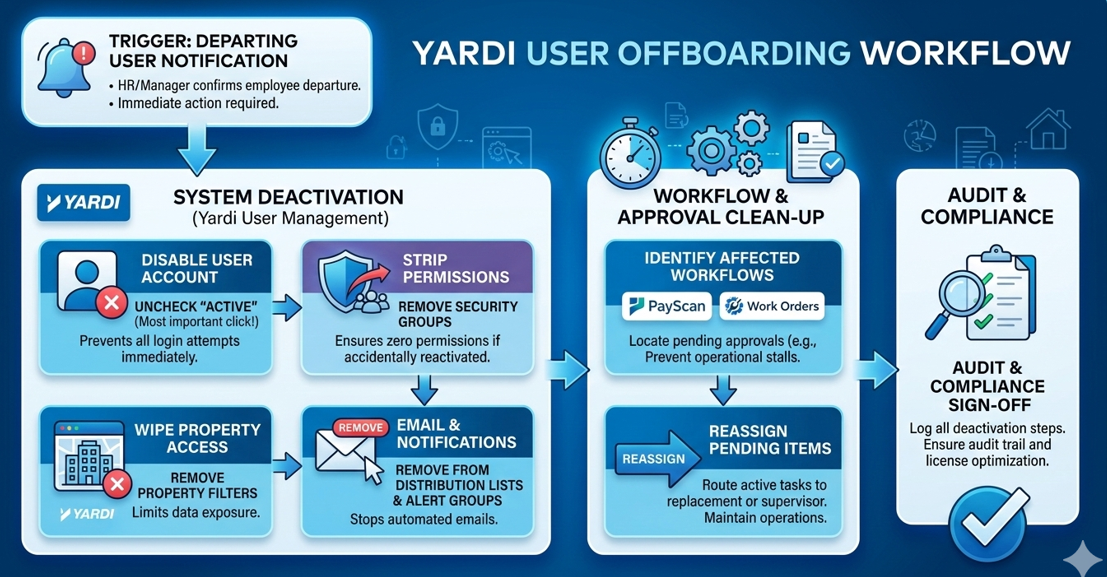
A streamlined Offboarding/Deactivation Workflow is just as important as the setup. Promptly deactivating users protects your data and ensures you aren’t paying for Yardi licenses you no longer need.
The process should begin the moment Department Head confirms an employee’s last day (or immediate termination).
Disable the User ID
Workflow & Approval Clean-up – If the user was part of an approval chain (especially in PayScan or Work Orders), their departure can stall your operations.
A Roadmap was ensured for the user management while the clean-up process was carried out for a client
| Step | Phase | Focus Area | Action Items | Quality Output |
|---|---|---|---|---|
| 01 | Baseline (Days 1–30) | Data Integrity |
|
Clean Foundation: Zero orphaned accounts and verified data access. |
| 02 | Standardize (Days 31–60) | Process Governance |
|
Traceability: Every system change is backed by a signed authorization. |
| 03 | Harden (Days 61–90) | Security Controls |
|
Risk Mitigation: Minimal permission overlaps and secured entry points. |
| 04 | Sustain (Days 91+) | Continuous Audit |
|
Compliance: Perpetual audit-readiness and optimized license usage. |
Through the implementation of these four phases, several critical lessons typically emerge for Yardi Administrators and Technology Specialists:
Share practical knowledge, emerging trends, and best practices to help you get more value from your real estate technology.